
Overview
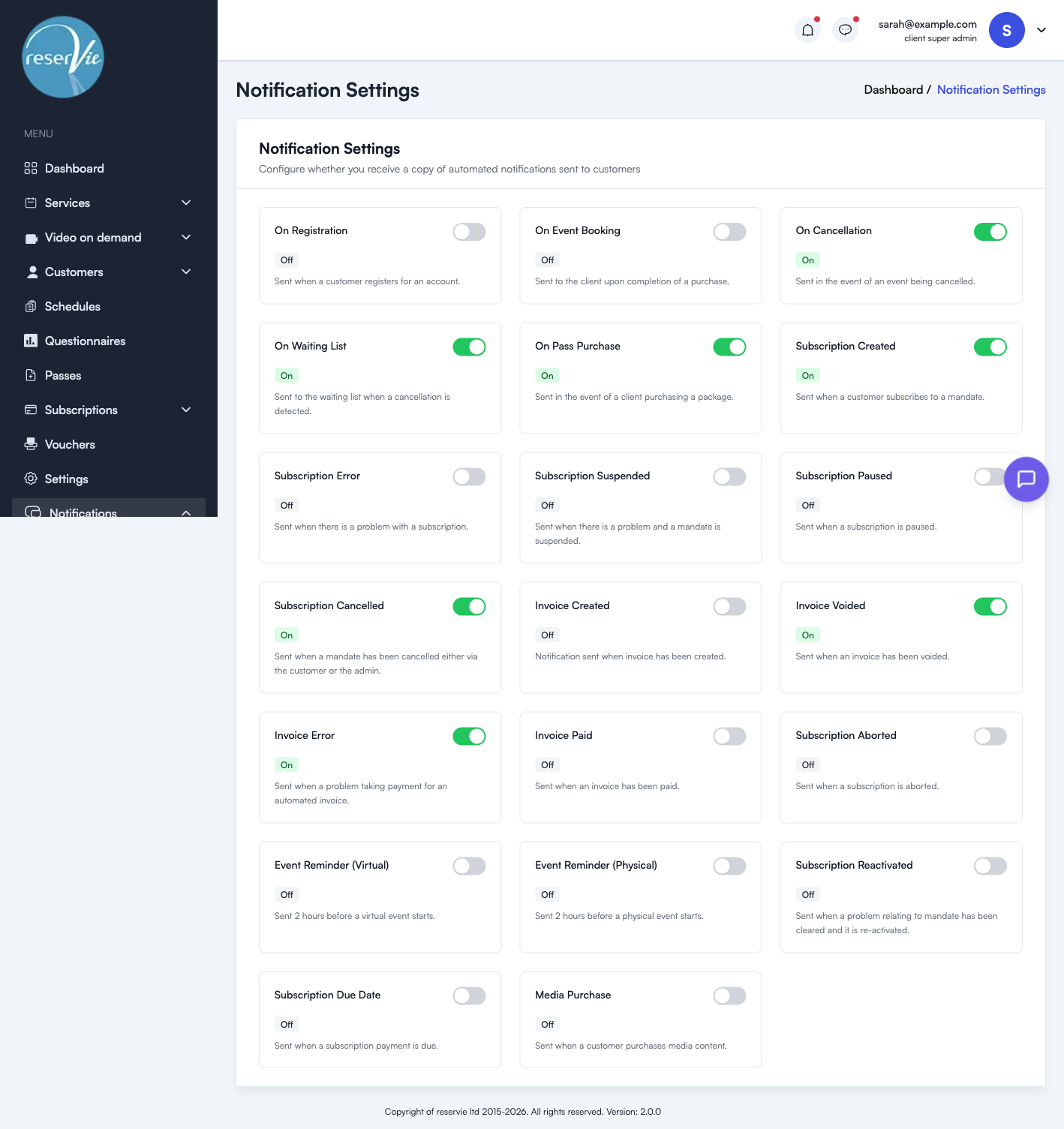
Copy Settings allow you to choose which automated customer notifications you also receive a copy of. This is useful for keeping track of bookings, cancellations, and subscription activity without having to check the admin panel.
Navigate to Notifications > Settings in the sidebar menu.
How it works
Each notification type has an On/Off toggle. When set to On, you will receive a copy of that email every time it is sent to a customer. When set to Off, only the customer receives the notification.
Available notification types
| Notification | Description |
|---|---|
| On Registration | Sent when a customer registers for an account |
| On Event Booking | Sent to the client upon completion of a purchase |
| On Cancellation | Sent in the event of an event being cancelled |
| On Waiting List | Sent to the waiting list when a cancellation is detected |
| On Pass Purchase | Sent in the event of a client purchasing a pass |
| Subscription Created | Sent when a customer subscribes to a mandate |
| Subscription Error | Sent when there is a problem with a subscription |
| Subscription Suspended | Sent when there is a problem and a mandate is suspended |
| Subscription Paused | Sent when a subscription is paused |
| Subscription Cancelled | Sent when a mandate has been cancelled either by the customer or the admin |
| Invoice Created | Sent when an invoice has been created |
| Invoice Voided | Sent when an invoice has been voided |
| Invoice Error | Sent when there is a problem taking payment for an automated invoice |
| Invoice Paid | Sent when an invoice has been paid |
| Subscription Aborted | Sent when a subscription is aborted |
| Event Reminder (Virtual) | Sent 2 hours before a virtual event starts |
| Event Reminder (Physical) | Sent 2 hours before a physical event starts |
| Subscription Reactivated | Sent when a problem relating to a mandate has been cleared and it is re-activated |
| Subscription Due Date | Sent when a subscription payment is due |
| Media Purchase | Sent when a customer purchases media content |
Tips
- Enable copies for On Cancellation and Subscription Cancelled to stay informed when customers leave.
- Enable Invoice Error and Subscription Error to catch payment problems early.
- Keep event booking copies off if you have high booking volumes to avoid inbox overload — you can always check the dashboard instead.