
What Video on Demand is
Video on Demand (VOD) lets you offer pre-recorded sessions to your customers — yoga classes, technique tutorials, masterclasses, course content. Customers can watch them on their own time, from any device, after purchase or as part of a subscription/pass.
Videos in reservie are organised into libraries. Each library is a container for related videos and has its own pricing, access rules, and lifecycle.
The video manager is at Video on Demand → Manager in the sidebar (/videos/manager).
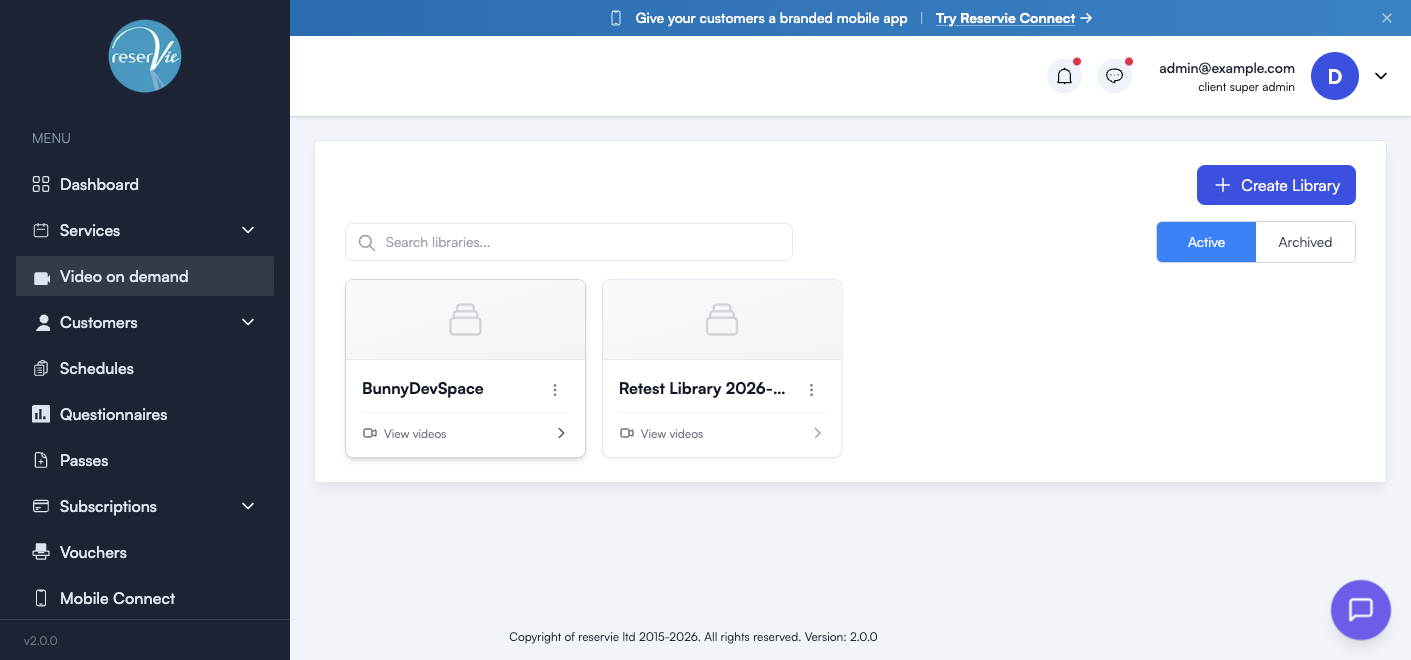
The Video Manager
This is the home for everything VOD. Two tabs filter the view:
| Tab | Shows |
|---|---|
| Active | Libraries currently available to customers |
| Archived | Libraries you’ve taken offline but want to keep |
Above the cards there’s a search box to filter by library name, and a + Create Library button to start a new one.
Library cards
Each card on the manager page shows:
- A thumbnail (uses the library’s cover image once set)
- The library name
- A View videos link to open the library
- A three-dot menu for quick actions (edit, archive, duplicate, delete)
Inside a library
Clicking a library card opens its detail page.
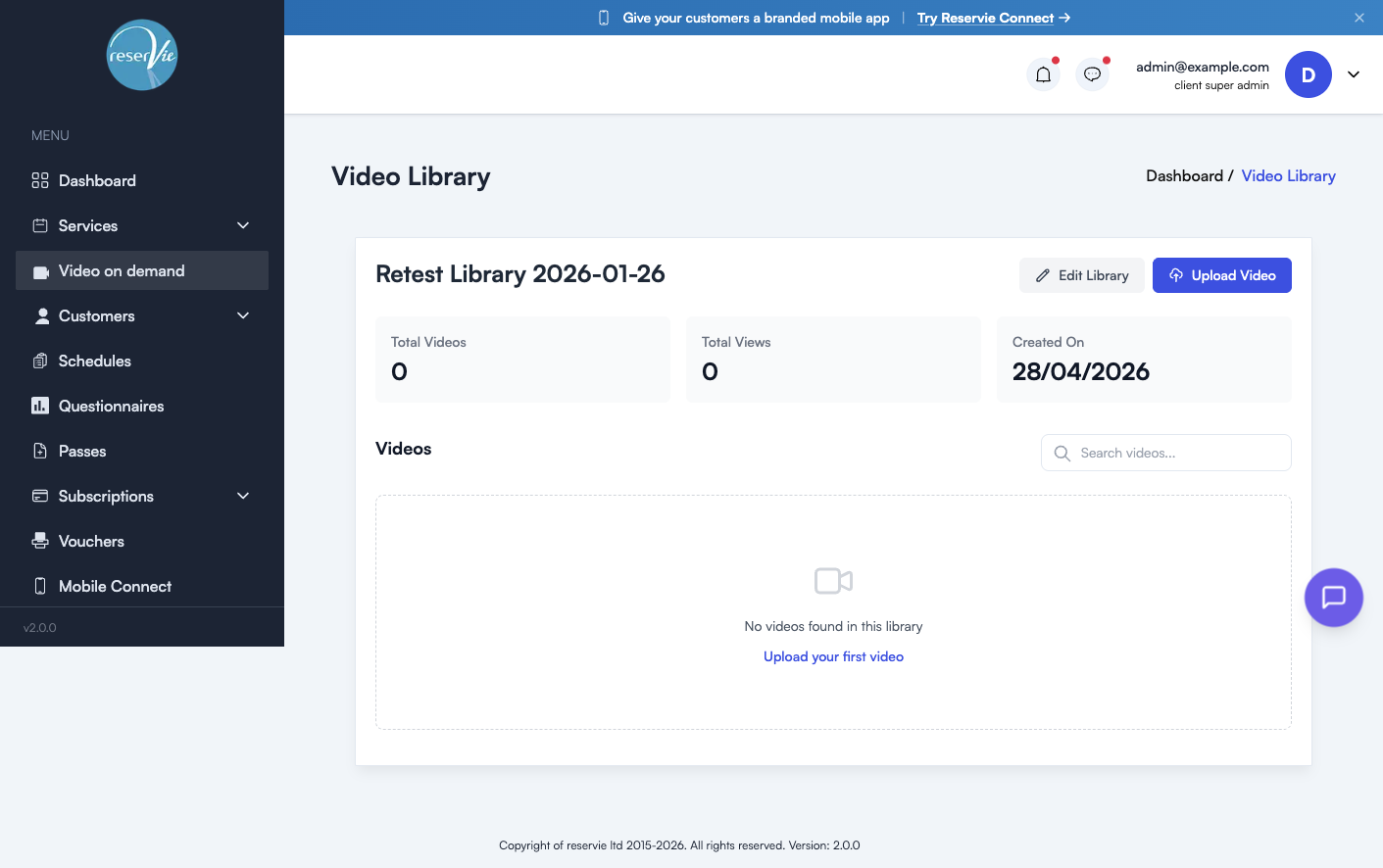
The header shows the library name with two action buttons:
| Button | What it does |
|---|---|
| Edit Library | Open the library settings (name, description, pricing, cover image, access rules) |
| Upload Video | Add a new video to this library |
Library stats
Three at-a-glance cards:
| Stat | What it counts |
|---|---|
| Total Videos | Number of videos uploaded to this library |
| Total Views | Cumulative video plays across the library |
| Created On | When the library was first created |
Videos list
Below the stats is the searchable list of videos in this library. Each video shows its title, thumbnail, duration, and an actions menu. When the library is empty, you’ll see a Upload your first video prompt.
Creating a library
From the video manager, click + Create Library and enter:
| Field | Notes |
|---|---|
| Library Name (required) | What customers see — keep it scoped, e.g. “Yin Yoga Foundations” |
| Description | Sets expectations — what’s covered, who it’s for, total runtime |
| Cover image | Used as the thumbnail in the manager and in customer-facing widgets |
| Pricing | One-off purchase price (or free for subscription/pass-only access) |
| Access rules | Whether the library is sold individually, included with a pass, included with a subscription, or any combination |
After saving, the library appears under the Active tab. Open it and click Upload Video to add content.
Uploading a video
Inside a library, click Upload Video. Reservie hosts videos via Bunny.net, so there are no codec restrictions to worry about — most common formats (MP4, MOV, MKV) work fine.
| Field | Notes |
|---|---|
| Video file (required) | Drag-and-drop or browse. Larger files are supported but upload time depends on your connection. |
| Title (required) | What customers see in the library |
| Description | What this specific video covers |
| Order | Where it appears in the library list (typically lesson order) |
The video is processed in the background — encoding usually takes a few minutes per minute of footage. You can keep working while it runs.
Selling video content
Customers can access a library three ways:
| Method | When to use it |
|---|---|
| One-off purchase | Lifetime access to a library for a single price (e.g. a 6-class course) |
| Pass credits | Customer spends pass credits to unlock the library or individual videos |
| Subscription | Library is included as a benefit of an active subscription (e.g. “All-Access” plan) |
Set this up in Edit Library → Pricing & Access. Multiple methods can be combined — e.g. one-off £49, or free with the All-Access subscription.
Archiving and restoring libraries
When a library is no longer being sold, archive rather than delete. Archived libraries:
- Keep all videos and view history
- Are removed from the customer-facing widgets
- Stay accessible to customers who already purchased them
Restore at any time from the Archived tab.
Where to go next
- Learn how libraries integrate with passes — see Getting Started with Passes
- Embed a video library on your website — see Adding reservie to your website
- Bundle videos with a subscription — see Getting Started with Subscriptions