
What Bulk Actions are for
Most of the time you edit one event, one customer, or one booking. Bulk Actions is the place to make the same change across many records at once.
The page lives at Bulk Actions in the sidebar, and the homepage lists each available bulk operation as its own action card.
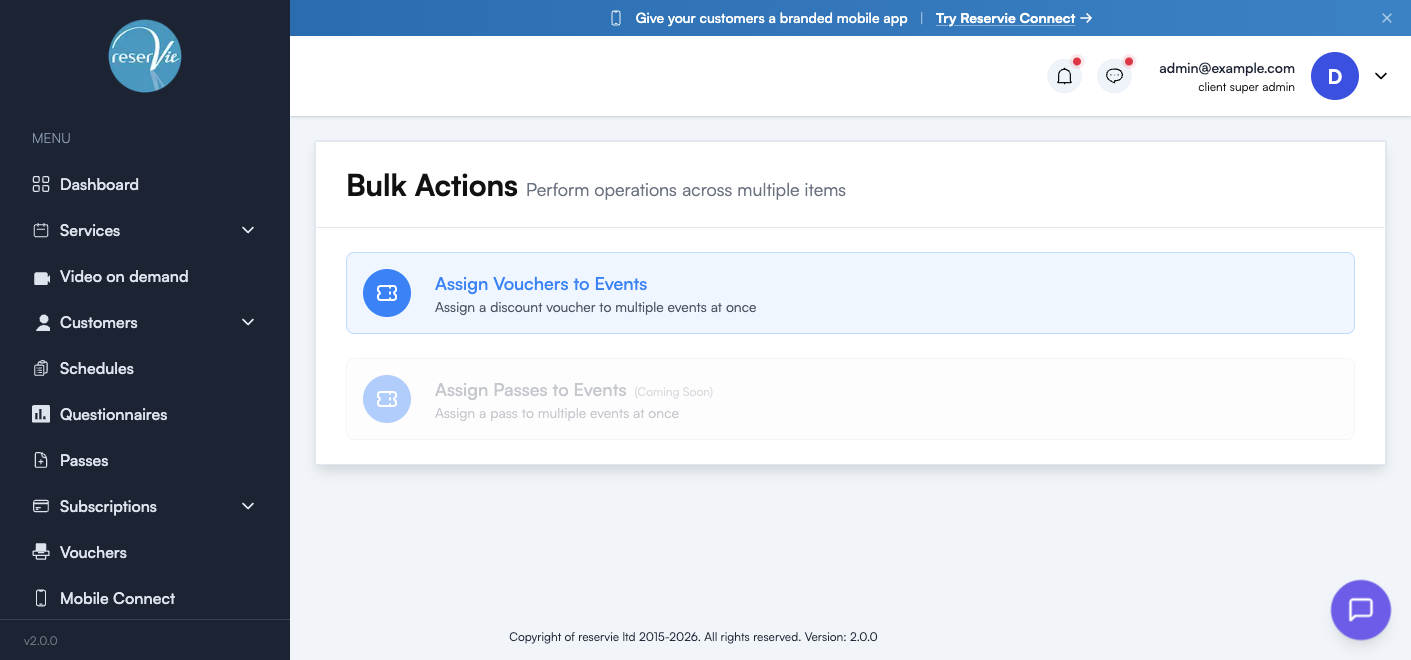
What’s available today
| Action | Status | What it does |
|---|---|---|
| Assign Vouchers to Events | Available | Apply a discount voucher to multiple events at once |
| Assign Passes to Events | Coming soon | Apply a pass to multiple events at once |
We expect to add more bulk operations over time — the page is built to grow as more multi-record workflows come online.
Assign Vouchers to Events
Use this when you’ve created a new voucher and want to apply it across a range of events without opening each event individually.
The flow is a two-step picker.
Step 1 — Select a discount voucher
Choose the voucher you want to assign from the dropdown. Only vouchers from your Vouchers section appear here.
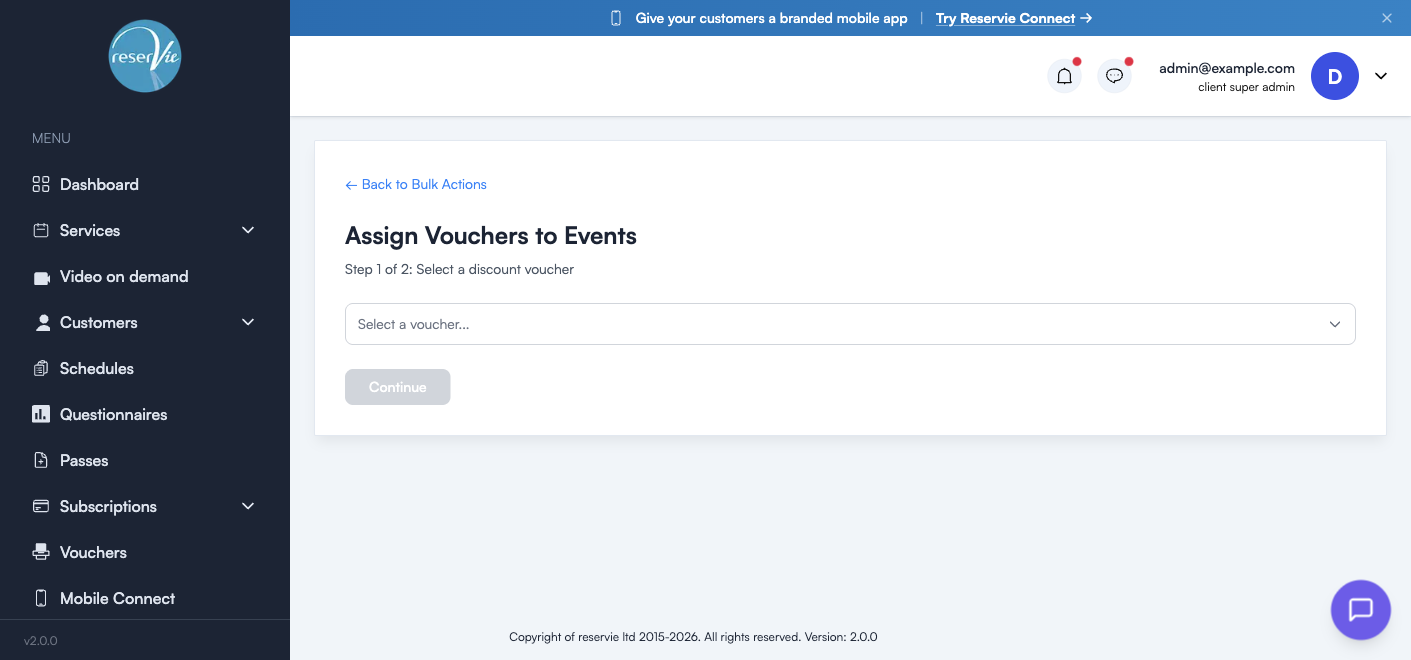
The Continue button stays disabled until you’ve picked a voucher.
Step 2 — Pick the events
Once a voucher is chosen, you’ll see a list of your live events. Tick the events you want to attach the voucher to and click Apply.
| What you can do | Notes |
|---|---|
| Search and filter | Narrow the list to find the right events |
| Multi-select | Check as many events as you want — the voucher will be added to all of them |
| Re-run | The action is non-destructive. Running it twice with the same voucher is safe. |
Once applied, customers who hold the voucher code can redeem it at checkout for any of the selected events.
Tip: if you’ve created a voucher specifically for a campaign (e.g. “SUMMER25”), this is the fastest way to wire it up to every workshop in your summer programme without editing each event one by one.
Why use Bulk Actions instead of editing individually
For one or two events, opening each one and using Step 4 → Vouchers in the event editor is fine. Bulk Actions earns its place when:
- You have 5+ events that should share the same voucher
- You’re running a promo across a programme — e.g. Summer Term, Bank Holiday Sale
- You’re cleaning up a historical inconsistency — applying a voucher you forgot to attach when you cloned a course
Coming soon: Assign Passes to Events
The same pattern will work for passes. Instead of toggling pass eligibility on each event individually, you’ll be able to pick a pass and apply it to multiple events in two clicks.
Until that’s live, attach passes to events from the event editor — Step 4 (Pricing & booking) lets you add pass-credit pricing options per event.
What Bulk Actions doesn’t do
A few things people sometimes ask about that aren’t in Bulk Actions today:
- Mass-cancellation of bookings across multiple dates — handled per-date in the event register
- Mass-refunds — handled per-booking via the actions menu in each register
- Mass-edit of event fields (e.g. change the description on every Yoga event) — best handled via Edit Event on each, or by Cloning + editing
- Mass-import or export of customers — handled via the API or Customer Manager
If a workflow you’d find useful isn’t here yet, let us know — Bulk Actions is the right home for it as the surface grows.