
Overview
The Integration Hub is where you connect third-party services to your reservie account. Navigate to Integrations in the sidebar menu to access it.
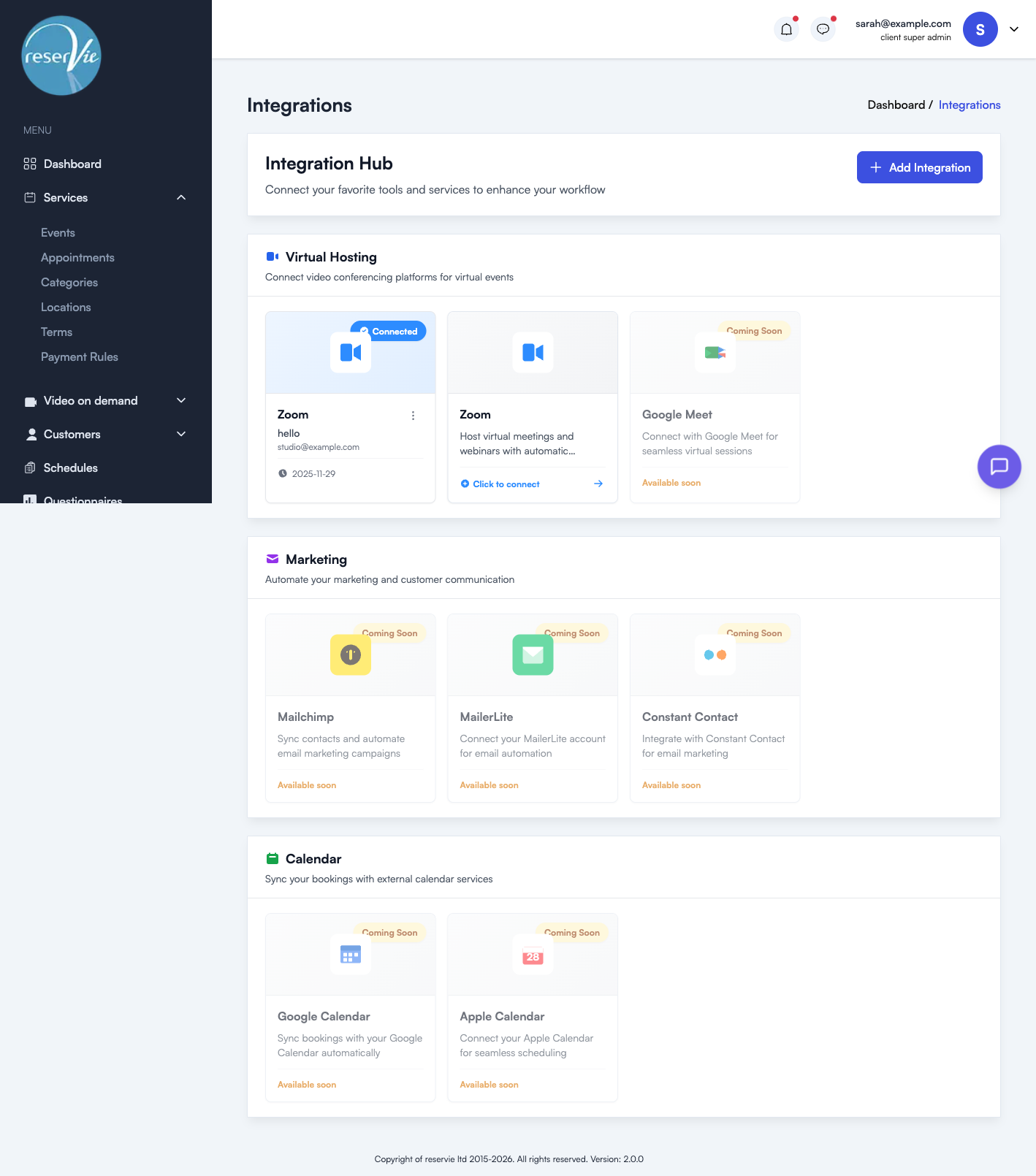
Integration categories
The Hub is organised into three sections:
Virtual Hosting
Connect video conferencing platforms to host virtual events. When connected, reservie can automatically create and manage meeting links for your virtual classes and workshops.
| Integration | Status |
|---|---|
| Zoom | Available — connect your Zoom account for automatic meeting scheduling |
| Google Meet | Coming soon |
Marketing
Connect email marketing platforms to sync your customer lists and automate communications.
| Integration | Status |
|---|---|
| Mailchimp | Coming soon |
| MailerLite | Coming soon |
| Constant Contact | Coming soon |
Calendar
Sync your reservie bookings with external calendar services so your schedule stays up to date.
| Integration | Status |
|---|---|
| Google Calendar | Coming soon |
| Apple Calendar | Coming soon |
Managing connections
Each integration card shows its current status:
- Connected — The integration is active. You can see the connected account details and the date it was connected.
- Click to connect — The integration is available but not yet connected. Click the card to begin the connection process.
- Coming Soon — The integration is not yet available.
For connected integrations, click the action menu (three dots) to access:
- Re-authorize — Refresh the connection if it has expired or needs updating
- Disconnect — Remove the connection entirely
Next steps
- See Connecting Zoom for step-by-step instructions on setting up Zoom.
- See Using Zoom with Events for how Zoom meetings work with your virtual events.