
What an appointment is
An appointment is a one-to-one booking between a customer and a facilitator — for example, a 60-minute deep tissue massage, a private yoga session, or a consultation call.
Unlike events (which are group sessions on a fixed schedule), appointments are individually booked into a facilitator’s free slots. The system works out which times are available based on:
- The facilitator’s working hours (their schedule)
- Existing bookings on their calendar
- The chosen service’s duration plus any buffer time
- Whether a required physical resource (e.g. a treatment room) is free
Appointments live under Services → Appointments in the sidebar.
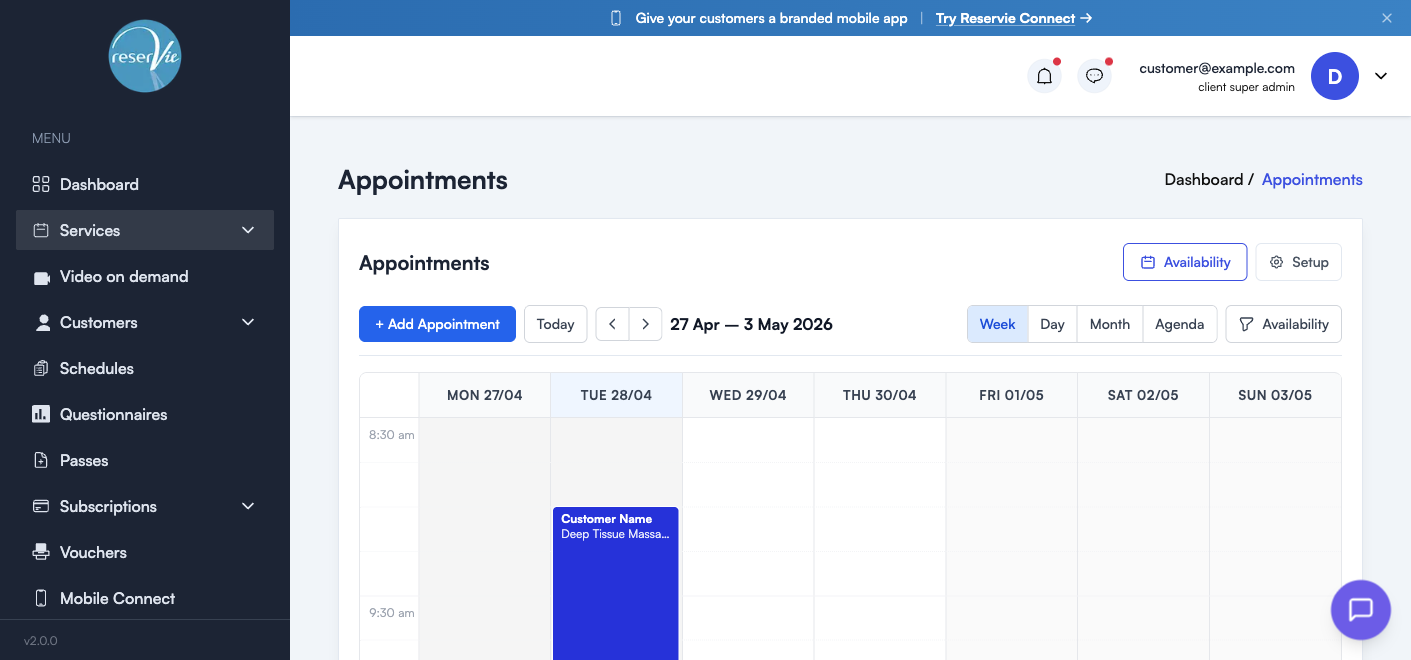
The Appointments page
The page is calendar-first. The toolbar across the top has:
| Control | What it does |
|---|---|
| + Add Appointment | Manually book an appointment for a customer |
| Today / ◀ ▶ | Navigate the calendar by week (or day / month, depending on view) |
| Date range label | Shows which window you’re currently viewing |
| Week / Day / Month / Agenda | Switch the calendar layout |
| Availability (view toggle) | Show only the facilitator availability grid (with bookable slots) |
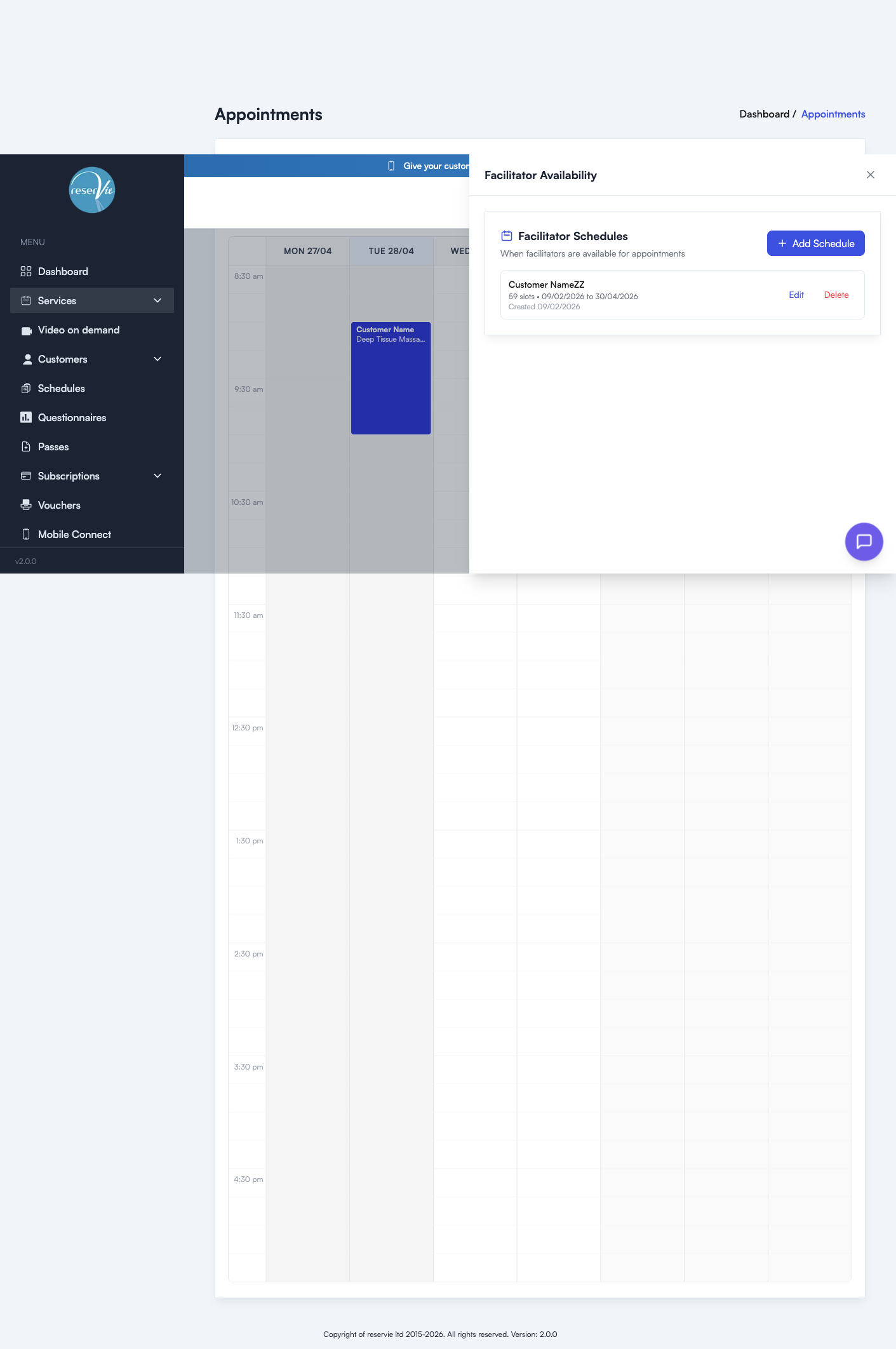
| Availability (top-right button) | Open the Facilitator Schedules drawer to manage when facilitators work |
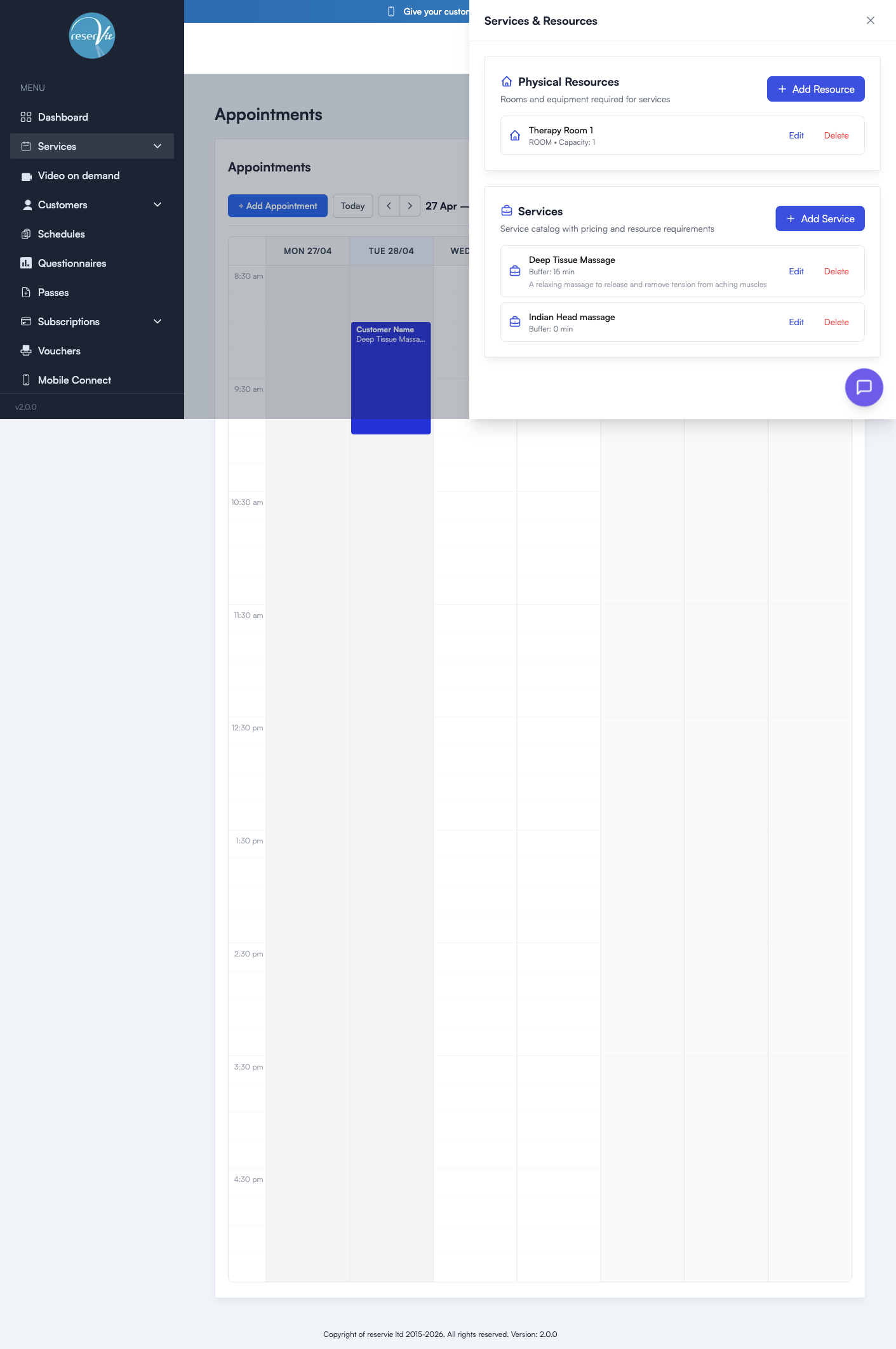
| Setup (top-right button) | Open the Services & Resources drawer to manage what you offer |
Each booking appears as a coloured block on the calendar. Clicking a block opens its detail drawer where you can edit, cancel, refund, or contact the customer.
The three building blocks
Before you can take a booking, three things need to be in place:
- Physical resources (optional) — rooms or equipment used by services
- Services (required) — what you offer, with pricing and duration
- Facilitator schedules (required) — when each facilitator is available
Once all three are configured, available slots are calculated automatically every time a customer (or you) tries to book.
1. Physical resources
A physical resource is a room or a piece of equipment used to deliver a service — for example, “Therapy Room 1” or “Massage table A”. Each resource has:
- A name and type (Room or Equipment)
- A capacity — how many concurrent bookings it can support (usually 1 for rooms, sometimes more for equipment)
Resources are optional. If your facilitators don’t need a specific room or piece of kit, skip this step. But if two services require the same room, defining it as a resource stops them from being booked into the same slot.
Manage resources from the Setup drawer (Physical Resources panel) or see Managing Physical Resources.
2. Services
A service is what the facilitator delivers — “Deep Tissue Massage”, “Indian Head Massage”, “60-minute consultation”. Each service has:
- A name and description (shown to customers)
- A buffer time — minutes added after each appointment for cleanup, paperwork, or transition
- One or more pricing options, each with a duration and a price (e.g. 30 mins £30, 60 mins £55)
- Optional category, location, terms, notification overrides, vouchers, and payment rules
- Optional physical resource requirement (which room or equipment is needed)
Manage services from the Setup drawer or see Managing Services.
3. Facilitator schedules
A schedule is a window of time during which a facilitator is bookable. It defines:
- Which facilitator the schedule applies to
- A date range (start and end)
- Days of the week they work
- Time range within those days
- Which services they offer in this window
- An optional physical resource they’re using
A facilitator can have multiple schedules — for example, one for their Tuesday evenings at the studio and another for Saturday mornings at home. The system combines all active schedules to work out the bookable grid.
Manage schedules from the Availability drawer or see Setting your availability.
How a booking works (the maths)
When a customer (or admin) starts a booking, reservie:
- Looks up the customer’s chosen service to get its duration + buffer time
- Finds all schedules that include that service and cover today onwards
- For each schedule, walks the working window in service-sized chunks
- Removes any chunk that clashes with an existing booking
- Removes any chunk where the required physical resource is already in use
- Returns the surviving chunks as bookable slots
Customers see only the slots that survive every check.
Booking an appointment manually
Click + Add Appointment to open the booking dialog:
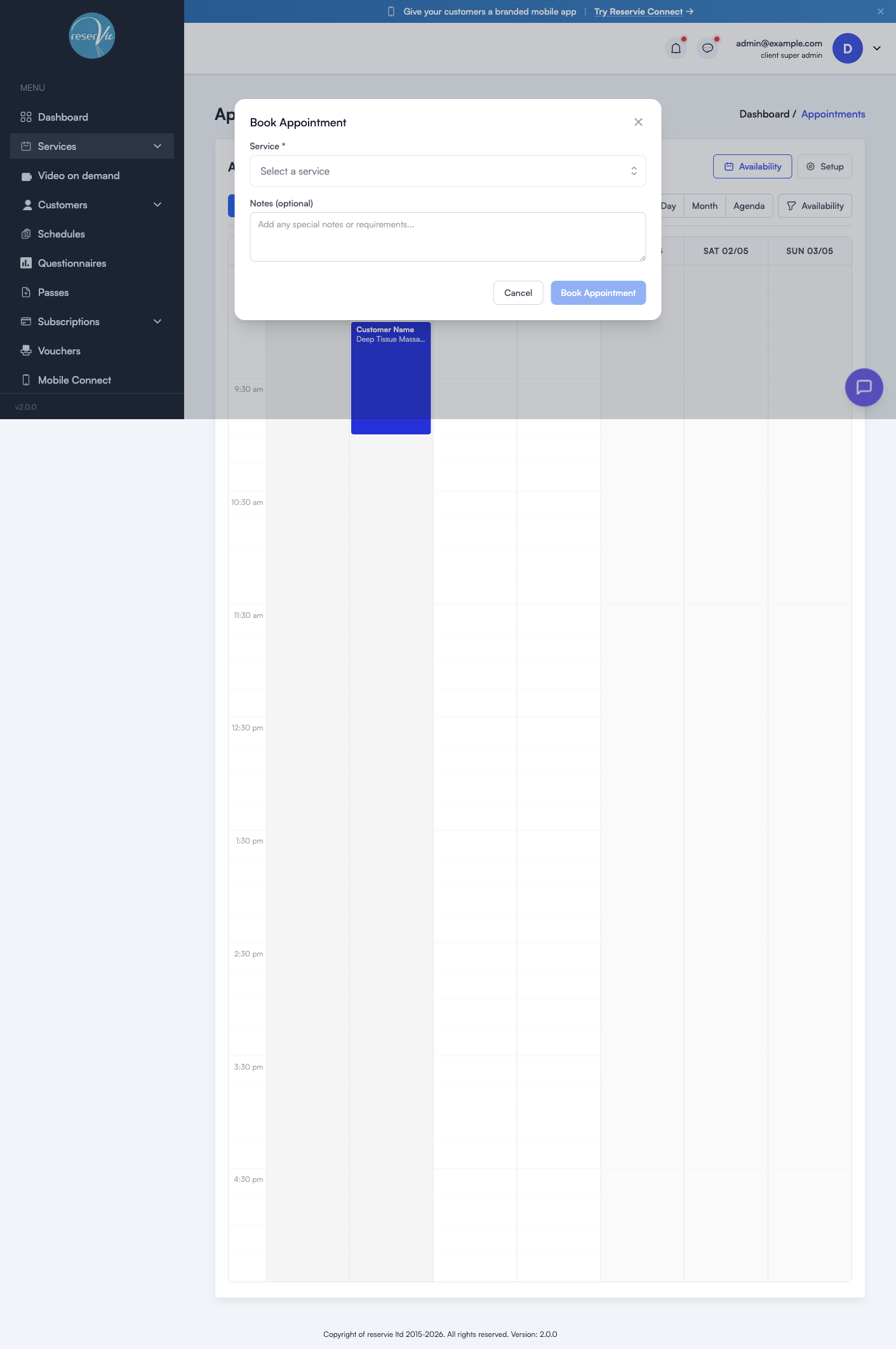
Start by finding the customer, by name or email. The window then grows as you answer it, asking for the service, the date, the time, the length and the facilitator. Only real options are offered at each step, so you cannot pick a time that is already taken.
Last comes the payment: cash, card, or a pass if the customer has one that covers it. Notes are for you, not the customer. Click Book Appointment to confirm.
See Booking Appointments for the full booking walkthrough — including taking payment, applying passes, and handling cancellations.
Where to go next
- Managing Physical Resources — set up rooms and equipment
- Managing Services — define your service catalogue and pricing
- Setting your availability — configure when each facilitator is available
- Booking Appointments — manual bookings, cancellations, refunds, and edits