
Where the login page lives
Customers reach the login page at:
https://<your-subdomain>.reservie.net/login
They also land here automatically the moment they try to do something that requires an account — book a class, redeem a voucher, view their bookings, and so on. After successful sign-in they’re redirected back to whatever they were trying to do.
What the login page looks like
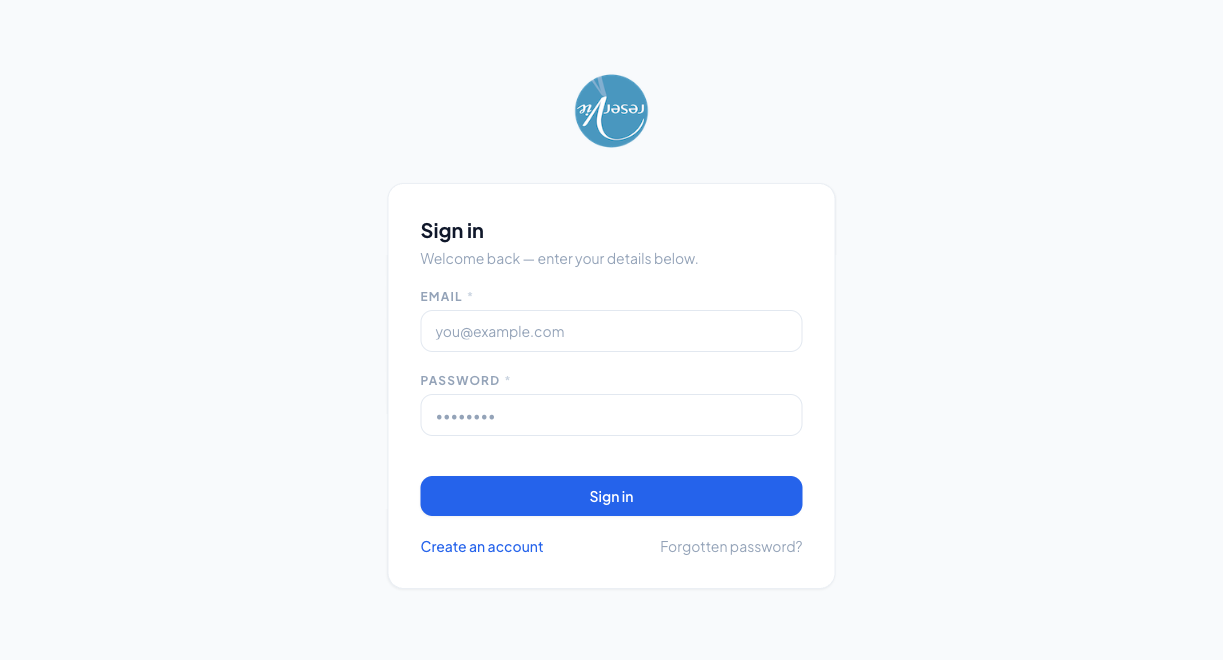
The page is intentionally minimal:
| Element | What it does |
|---|---|
| Logo at the top | Your business logo from admin Settings → Configuration |
| The email address the account is registered under | |
| Password | The password the customer set when registering, or after a reset |
| Sign in button | Disabled until both fields are filled in |
| Create an account | Link to the registration flow — see Creating an Account |
| Forgotten password? | Link to the password reset flow — see Resetting Your Password |
There’s no “remember me” toggle — the portal uses standard browser sessions, so customers will stay signed in until they sign out or clear cookies.
After signing in
After a successful sign-in the customer is sent to the Dashboard (see Dashboard), unless they were mid-flow on a booking — in which case they’re returned to the checkout to complete the purchase.
Common problems
”Invalid email or password.”
99% of the time this is a typo or an out-of-date password. Suggest Forgotten password? — the reset link goes to whatever email is on file, even if the customer doesn’t remember which address they used.
”My customer doesn’t have an account at all.”
Two cases:
- They’ve never booked with you. Send them to Create an account — or, more naturally, send them to a class booking page and they’ll be prompted to register at checkout.
- They booked once a long time ago and the account predates them having a password. Older accounts may need to use the Forgotten password? flow to set a password before they can sign in for the first time.
”I get signed out every time I close my browser.”
The portal uses session cookies. Private/incognito windows always discard cookies on close, so this is expected if the customer is using one. In normal browsing they should stay signed in for several days.
”Are admin and customer logins the same?”
No. Admin (where you manage the studio) lives on cloud.reservie.app and has separate credentials. The customer portal at <your-subdomain>.reservie.net only knows about customer accounts. The same person can absolutely have both (their admin login for running the studio, their customer login for booking their own classes) — they’re just two different accounts.
Where to go next
- Creating an Account
- Resetting Your Password
- Dashboard — the first page they see after signing in