
What this page is for
Payment Methods is where customers manage their saved cards — the ones used to charge subscriptions, recurring passes, and one-click checkout. It’s not where one-off card details are entered (those go through the standard Stripe checkout flow when buying something).
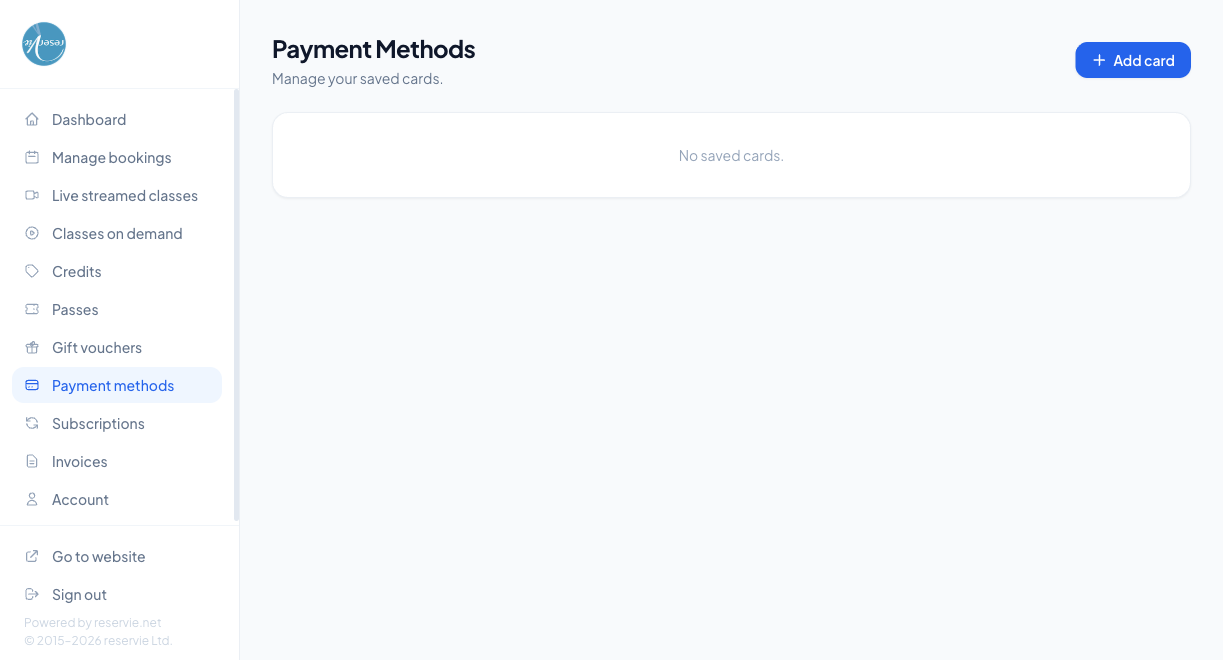
What customers see
| Element | What it is |
|---|---|
| Heading | ”Payment Methods” with subtitle “Manage your saved cards.” |
| Add card button | Opens the Stripe-hosted card entry form |
| Card list | One row per saved card with brand, last 4 digits, expiry, and a remove control. Shows “No saved cards.” when empty |
The card data itself is never stored in Reservie — only a token that lets Stripe charge it. That’s why the page only shows the last 4 digits and never the full number.
Adding a card
Click Add card → a Stripe-hosted card-entry form opens → fill in number, expiry, CVC → save. The card is then available for future checkouts and for automatic subscription / recurring-pass charges.
Removing a card
Each saved card has a remove control. Removing it un-links it from the customer’s account — Stripe forgets the token, and Reservie can no longer charge it.
Watch out: if a customer has an active subscription tied to a card and removes that card without adding another, the next renewal will fail. They should add the replacement first, set it as default if needed, and only then remove the old one.
How saved cards are used
- At checkout — saved cards appear as a quick-select option, so customers don’t have to re-enter details for each booking
- On subscription renewal — the default card is charged automatically on the renewal date
- For recurring passes — same as subscriptions
Common scenarios
”I added a card but the subscription is still failing.”
The new card may not be set as default. From admin Customer Manager → (customer) → Payment Methods you can see which card a subscription is tied to and re-point it.
”Can I have multiple cards saved?”
Yes — there’s no hard limit. One of them will be the default for subscription charges; the customer picks any of them at checkout for one-off purchases.
”I don’t see Add card and I can’t add a card.”
Most likely the studio doesn’t have Stripe Connect set up, or the customer is on a browser blocking third-party content (Stripe iframe). Check Stripe is connected in admin Settings → Integrations, and ask the customer to disable strict tracking-prevention features for the portal domain.
Where to go next
- Subscriptions — the most common reason a customer needs a saved card
- Invoices — for the receipts of charges made to saved cards