
What subscriptions are
A subscription is a recurring payment that issues something on each cycle — most commonly a monthly pass, but it can also be a Video on Demand library subscription, an unlimited-class membership, or any other recurring product the studio sells.
The Subscriptions page lists the customer’s recurring commitments, with separate tabs for Active and Inactive.
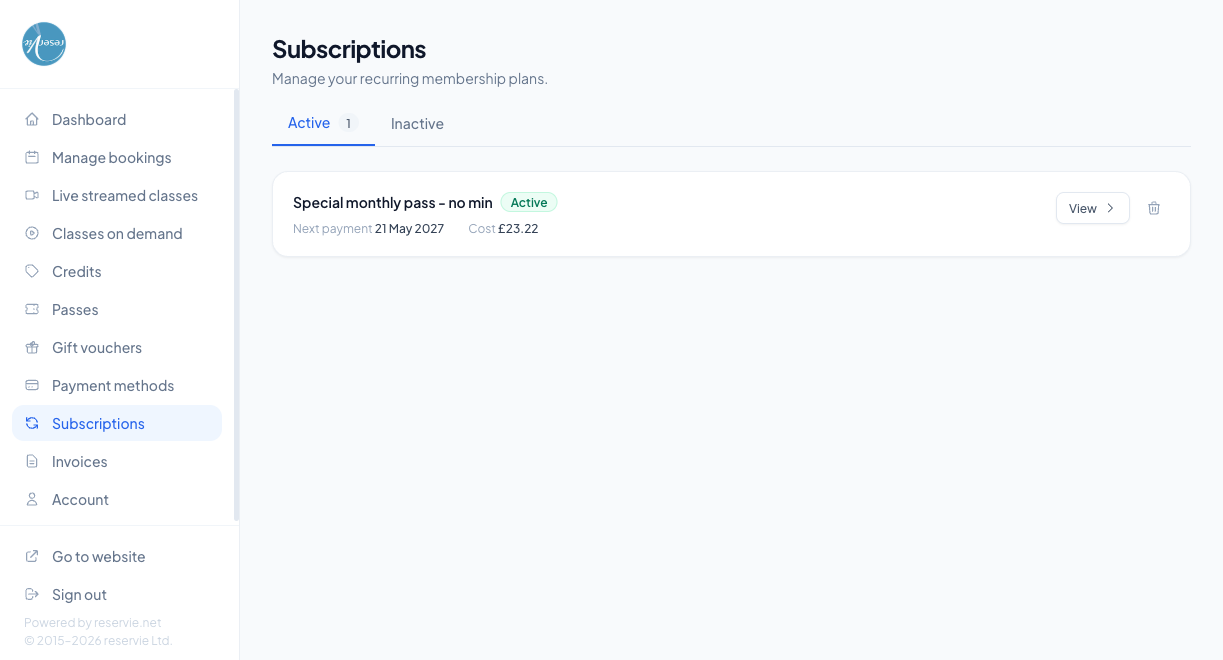
What each subscription card shows
| Element | What it is |
|---|---|
| Subscription name | The product the customer subscribed to (e.g. Monthly Gold Pass, Studio All-Access) |
| Status badge | Active for ones currently in force |
| Next payment | The next date the customer will be charged, in their local format |
| Cost | The amount they’ll pay on that date |
| View link | Opens a detail page for the subscription — history of past charges, payment method tied to it, etc. |
| Cancel subscription button | Opens the cancellation confirmation dialog |
Cancelling a subscription
Clicking Cancel subscription opens a confirmation. Two common cancellation behaviours, depending on how the subscription product is configured:
- End-of-period cancellation (the default) — the customer keeps access until the end of the current paid period. No refund is issued for the remainder.
- Immediate cancellation — access ends now. A pro-rata refund may be issued depending on policy.
After cancelling, the subscription moves from the Active tab to the Inactive tab — the record stays for historical reference.
The Inactive tab
Lists subscriptions that have been cancelled, expired, or paused. Customers can usually reactivate by re-subscribing to the same product through the regular checkout, but the underlying record stays here as a permanent history.
How a subscription relates to passes
For pass-based memberships, the subscription is what renews — each renewal issues a fresh pass to the customer’s account. The pass appears on the Passes page, and the next renewal date / cost appears here.
If the renewal payment fails:
- The pass is not extended
- The customer sees a notice on this page asking them to update their payment method
- A few retries happen automatically over the next few days
- After repeated failure, the subscription moves to Inactive
Common scenarios
”I cancelled but I’m still being charged.”
The cancellation took effect at end-of-period — the most recent charge was for the period the customer is currently using. Confirm in admin Customer Manager → (customer) → Subscriptions that the cancellation is in place; if it is, no further charges will happen.
”My subscription says Active but I have no passes.”
Most likely the renewal hasn’t run yet. Each renewal issues a fresh pass on its renewal date — between the previous pass ending and the next renewal date there’s a small gap. If the renewal date has passed and there’s still no pass, look at admin Customer Manager → (customer) → Subscriptions → View → History to see whether the latest charge succeeded.
”Can a customer pause rather than cancel?”
Not from the customer portal. You can pause a subscription from admin Customer Manager → (customer) → Subscriptions → Pause, which freezes billing without losing the customer’s payment-method link.
Where to go next
- Passes — what subscriptions usually issue
- Payment Methods — where the renewal card lives
- Invoices — receipts for each renewal