
What this page is for
Classes on Demand is the customer’s video library — every video they currently have access to via Video on Demand (VOD), shown as a grid of clickable thumbnails. Clicking a thumbnail starts playback in the portal.
This page is only relevant if your studio has the Video on Demand add-on enabled. If it’s not enabled, the sidebar item is hidden.
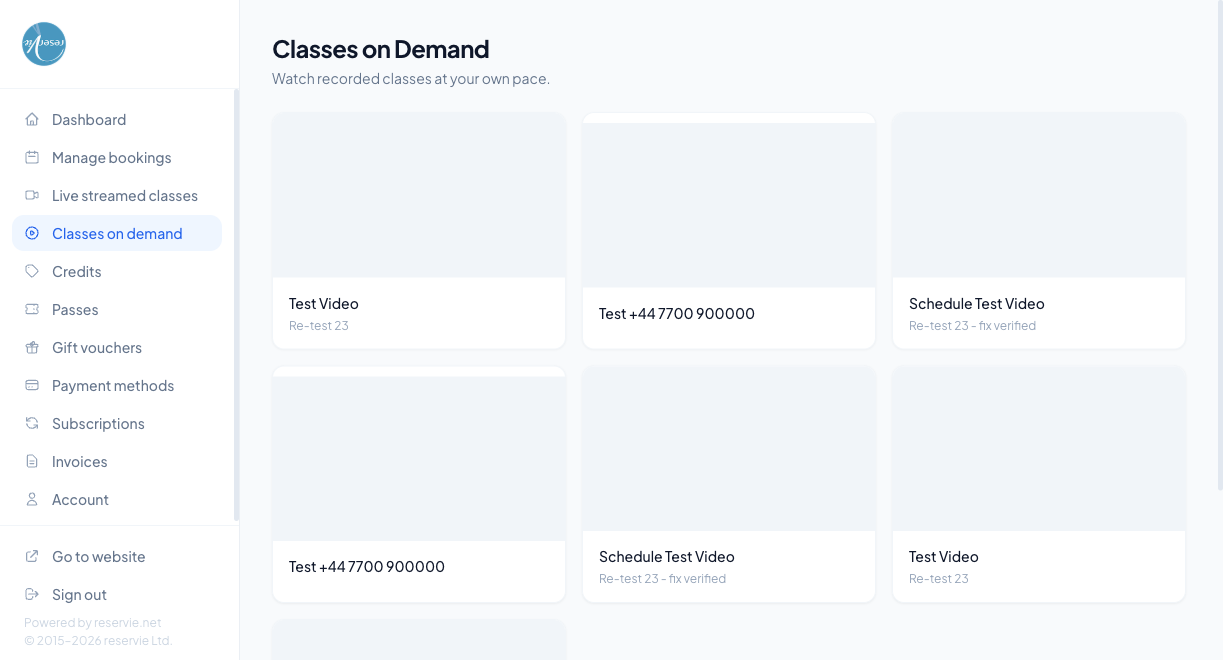
What each card shows
| Element | What it is |
|---|---|
| Thumbnail | The poster image you uploaded against the video in admin |
| Title | The video title |
| Description / sub-title | The short label you set on the video (optional) |
Clicking anywhere on the card opens the video player.
How videos get here
A video appears on this page when the customer:
- Purchases a library — buying access to a VOD library adds every video in it to this page until access expires
- Has a one-off video purchase — individual videos can also be sold standalone
- Has a subscription that includes VOD — some studios bundle VOD with a Gold-tier membership pass; while the pass is active, the videos are accessible
- Has been gifted access — admin can grant a customer access manually from Video Manager
If a customer’s access expires (e.g. their subscription ends), the videos disappear from this page automatically.
The player
Clicking a thumbnail loads the player on the same page. Standard playback controls — play/pause, scrubber, volume, fullscreen. The player is built to work on mobile, tablet and desktop browsers.
Common scenarios
”I bought a video and it’s not showing up.”
Check the customer’s purchase in admin Customer Manager → (customer) → Purchases. If the purchase is there but the video isn’t appearing for them, ask them to refresh the page or sign out and back in. Brand-new purchases occasionally take a minute to propagate.
”Videos disappeared after my subscription renewed.”
Most likely the subscription failed to renew (e.g. expired card) and the access lapsed. Check Customer Manager → (customer) → Subscriptions for a failed payment. Once the subscription is back in good standing the videos reappear.
”Can I download a video to watch offline?”
No — videos are streamed only, partly for licensing reasons and partly so the studio retains control of who sees what.
Where to go next
- Live Streamed Classes — for live classes rather than recorded video
- Subscriptions — VOD subscriptions live here
- Video on Demand admin overview